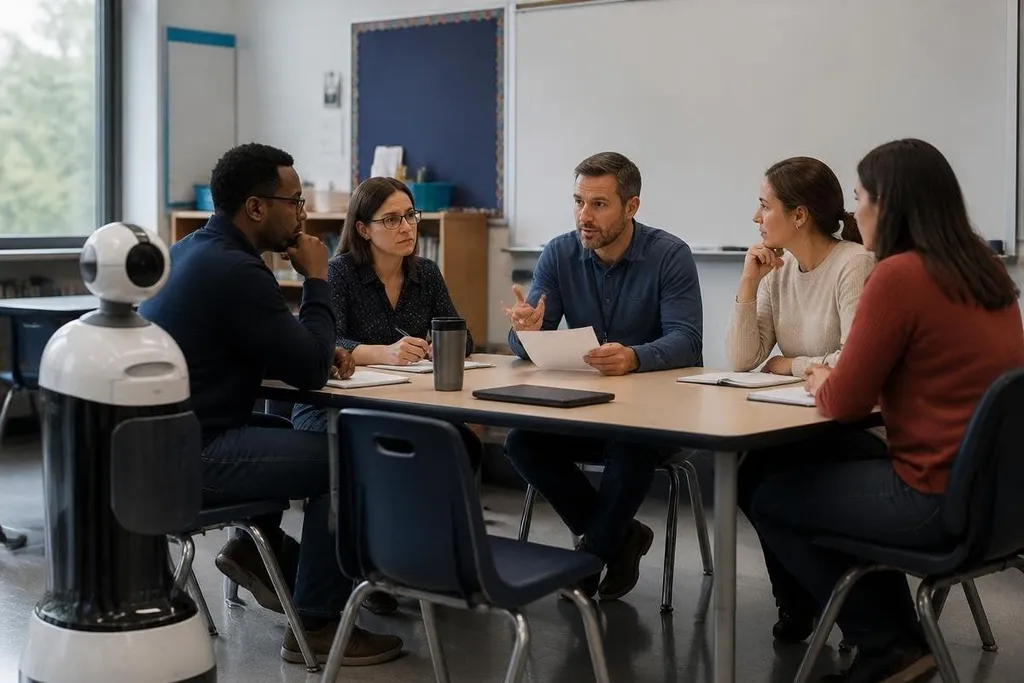
A classroom robot can move, listen, record video, connect to school networks, and make decisions from software. That gives schools more to manage than a purchase order, so rules should be ready before the robot reaches a student.
- Set clear limits for cameras, microphones, and student data.
- Keep a teacher in charge of every robot-led activity.
- Test movement, internet access, and failure behavior before use.
Decide what the robot is allowed to do
Start with the task, not the product. A robot that carries materials between desks needs different rules from one that records speech or responds to student questions.
Write each permitted task in plain language. The robot may move between marked areas, carry a set weight, or run a teacher-approved lesson. It may not enter a storage room, record students outside the lesson, or make decisions about grades or discipline.
This list gives staff a shared answer when a vendor adds a new feature through software. It also helps teachers explain the robot to students without turning the lesson into a sales pitch.
The teacher should have a physical stop button or another fast way to halt movement. Students need to know where it is and when to use it.
When the robot moves near children, it should run at a set speed and stay inside a marked work area.
Treat student data as a separate risk
A camera, microphone, speaker, or language model can turn a classroom activity into a data collection system. Schools need to know what the robot records, where it sends that data, how long it keeps it, and who can view it.
Ask the supplier for a data-flow diagram before purchase. The diagram should show the robot, school network, cloud service, staff accounts, and deletion process. If the supplier cannot explain that path in plain words, the product isn't ready for routine classroom use.
The same rule applies to student names, voices, faces, movement patterns, and written work. Collect only what the lesson needs. Use school-managed accounts, limit staff access, and set a deletion date that someone can check.
For school leaders comparing products, classroom robotics reporting puts vendor claims beside named robots and reported limits. That gives the next test a clear starting point: what happens when the connection drops or a teacher needs to take control?
Test the robot when things go wrong
A classroom test should include more than a successful demonstration. Staff should watch what happens when the network drops, a sensor is covered, a wheel meets an obstacle, the battery runs low, or a student presses the stop control.
The robot should reach a safe state after each failure. That may mean stopping its motors, lowering an arm, ending a speech session, or asking the teacher for help. The school should record the test result and fix the problem before students use the robot again.
Software changes need the same care as hardware changes. A new model update can alter speech replies, camera behavior, movement limits, or account settings. Someone at the school should approve updates, record the date, and keep a way to return to the last working version.
I'd require a short trial with staff before any student activity. A teacher can spot problems that a product demonstration leaves out, such as confusing alerts or a charger that sits where students walk.
Give teachers control of the lesson
A robot can run a task, but a teacher remains responsible for the room. The teacher should choose the activity, set the limits, watch the robot, and stop the session when a student feels unsafe or confused.
Students also need a clear explanation of what the robot can and cannot understand. A spoken reply doesn't prove that the robot understands a child's feelings, intent, or private situation. Staff should direct sensitive questions to a person.
Schools should keep a paper or digital record of incidents, near misses, data requests, software changes, and parent concerns. That record turns a vague worry into a problem the school can check and fix.
A purchase checklist for school leaders
Use these questions before signing a contract:
- Lesson fit: Which task will the robot perform, and who will supervise it?
- Movement limits: What speed, weight, reach, and stopping distance apply indoors?
- Data path: What does the robot record, where does it go, and when is it deleted?
- Network access: Which school systems can it reach, and who controls its account?
- Failure test: What happens after a blocked sensor, lost connection, low battery, or stop command?
- Exit plan: How does the school remove the robot, its accounts, and its stored data?
A school doesn't need a thick policy manual to start. It needs written limits, a named person in charge, a tested stop process, and a supplier that answers basic data questions. Until those pieces are in place, keep the robot in a staff-led trial rather than a normal classroom routine.